Tuesday, September 21, 2010

SQL SERVER 2005 - Seminar

SEMINAR ON SQL SERVER 2005
Conducted by PRIYANKA CHOPRA & PARMINDER SINGH SAINI
Introduction to Database:
A database consists of an organized collection of data for one or more uses, typically in digital form. Digital databases are managed using database management systems, which store database contents, allowing data creation and maintenance, and search and other access.

Database management systems

A database management system (DBMS) consists of software that operates databases, providing storage, access, security, backup and other facilities. Database management systems can be categorized according to the database model that they support, such as relational or XML, the type(s) of computer they support, such as a server cluster or a mobile phone, the query language(s) that access the database, such as SQL or XQuery, performance trade-offs, such as maximum scale or maximum speed or others. Some DBMS cover more than one entry in these categories, e.g., supporting multiple query languages.Examples of some commonly used DBMS are MySQL, PostgreSQL, Microsoft Access, SQL Server, FileMaker,Oracle, RDBMS, dBASE, Clipper,FoxPro,etc. Almost every database software comes with an Open Database Connectivity (ODBC) driver that allows the database to integrate with other databases.

Types of Databases:
Basic Queries  which were explained General Structure = SELECT, ALL/DISTINCT ,*, AS, FROM, WHERE
Comparison = IN, BETWEEN, WHERE, “%”, “_”
Grouping = GROUP BY, HAVING, COUNT(), SUM(), AVG(), MAX(), MIN()
Display Oreder =  ORDER BY, ASC/DESC
Logical Operator = AND, OR, NOT
Union = UNIONTypes of Joins
Joins are used to combine more than one or more than one table into single result set using different forms:
1. Inner Join
2. Outer Join
      * Left Outer Join
      * Right Outer Join
3. Self Join
4. NaturalOther topics
Union, Intersection and Cartesian Product Interview Questions on SQL SERVER 2005
This section consists the interview question which are commonly asked  for SQL SERVER 2005 related profiles.

There are different ways to define a database. Most commonly used type is relational database. They are defined below:
Network Database
Hierarchical Database
Relational Database


The Basics of the SQL Database and Advantages of SQL SERVER 2005
SQL (Structured Query language) is the language of choice for most modern multi-user, relational databases. That is because SQL provides the syntax and idioms (language) you need to talk to (query) relational databases in a standardized, cross-platform/product way (structured).

The beauty of SQL is that it idiomizes the relational model. Rather than refer to data as a set of pointers, SQL provides predefined procedures to allow you to use any value in a table to relate other tables in a database. So long as a database is structured using the relational model, SQL will be a natural fit because SQL was designed to make sense in a relational system. SQL by its very design is a language that can be used to talk about relating tables.Queries/Commands
SQL Commands are basically divided into Four type of commands
1. DDL = Data Definition Language that consists of the Create, Alter and Drop commands
2. DML = Data Manipulation Language that consists of Insert, Update and Delete commands
3. DQL = Data Query Language that consists of Select command
4. DCL = Data Control Language that consists of Grant and Revoke commands
Proactive at HCL CDC Janakpuri


It is a joyful result of the joint effort of our PROACTIVE and DEDICATED JANAKPURI team and students who have been working hard to make the centre pillars mark the height in IT industry.

We are working with best technologies and offer different range of HARDWARE /NETWORKING and SOFTWARE courses to our students which boost up their career. I thoroughly make sure to severe the best and bring out young professionals for today’s IT market.

Our MOTO is to mark history in IT industry and to leave steps behind for followers. This centre not only focuses on course contents but also groom their students for centuries. We make sure to upgrade technology, infrastructure and manpower according to time.

For HCL CDC JANAKPURI team their priority is to impart the best they have and to retain the best they can.


Big Bug found in Windows Server 2008 by Dinesh Arya a student of HCL CDC Janakpuri

Activation bug found in Window server 2008


Windows Server 2008 is the latest version of Microsoft’s enterprise server operating system. The Windows Server 2008 family is the successor to the Windows 2000 Server family, which in turn built upon Windows NT Server. Windows Server 2008 introduces many new features and offers significant improvements to many features found in earlier Windows Server operating systems.

But beside these features, big "Activation Bug" found in Window Server 2008 by a student of HCL CDC at Janakpuri Centre.


A shocking bug has been occurred at Janakpuri's HCL CDC in aspect of Windows activatation, Dinesh Arya a student 
of HCL CDC Janakpuri centre found activation bug in server 2008. He believe that, he could mannully activate the Microsoft Windows Server 2008 without using any tool & software (Crack or Keygen). It seems Microsoft Corporation a big giant in Software & Hardware Development needs attention and improve their security tools.


Dinesh Arya - Student HCL CDC Janakpuri


Monday, September 20, 2010

KITE COMPEITITION

KITE COMPEITITION ON 14th AUGUST 2010
History Of Independence DayThe struggle for Indian independence began with the colonialization of India by Europeans. They came to India as traders but over the period of time they rose to power took control of Indian affairs. British occupied most parts of India whereas Portuguese and French also had their influence on few places The first uprising which is noted in the history of independence of India took place in 1857. This first war of Indian independence was termed as a mutiny by the British.[Image]On 15 August 1947, India attained freedom from the British Rule. Every year, August 15 is celebrated as the Independence Day in India. This national festival is celebrated with great enthusiasm all over the country.
The Independence Day of any country is a moment of pride and glory. On this special occasion, rich tributes are paid to the freedom fighters who sacrificed their lives and fought to free their motherland from the clutches of the oppressors - British who ruled the country.


Kite Flying
There is a tradition of flying kites in the National Capital Region on the Independence Day. The sky is dotted with hundreds of colorful kites and people engage in kite-flying competitions. Kites painted with the three colors of the national flag are a hot favorite.

Thursday, September 16, 2010

Celebrations at HCLCDC Janakpuri

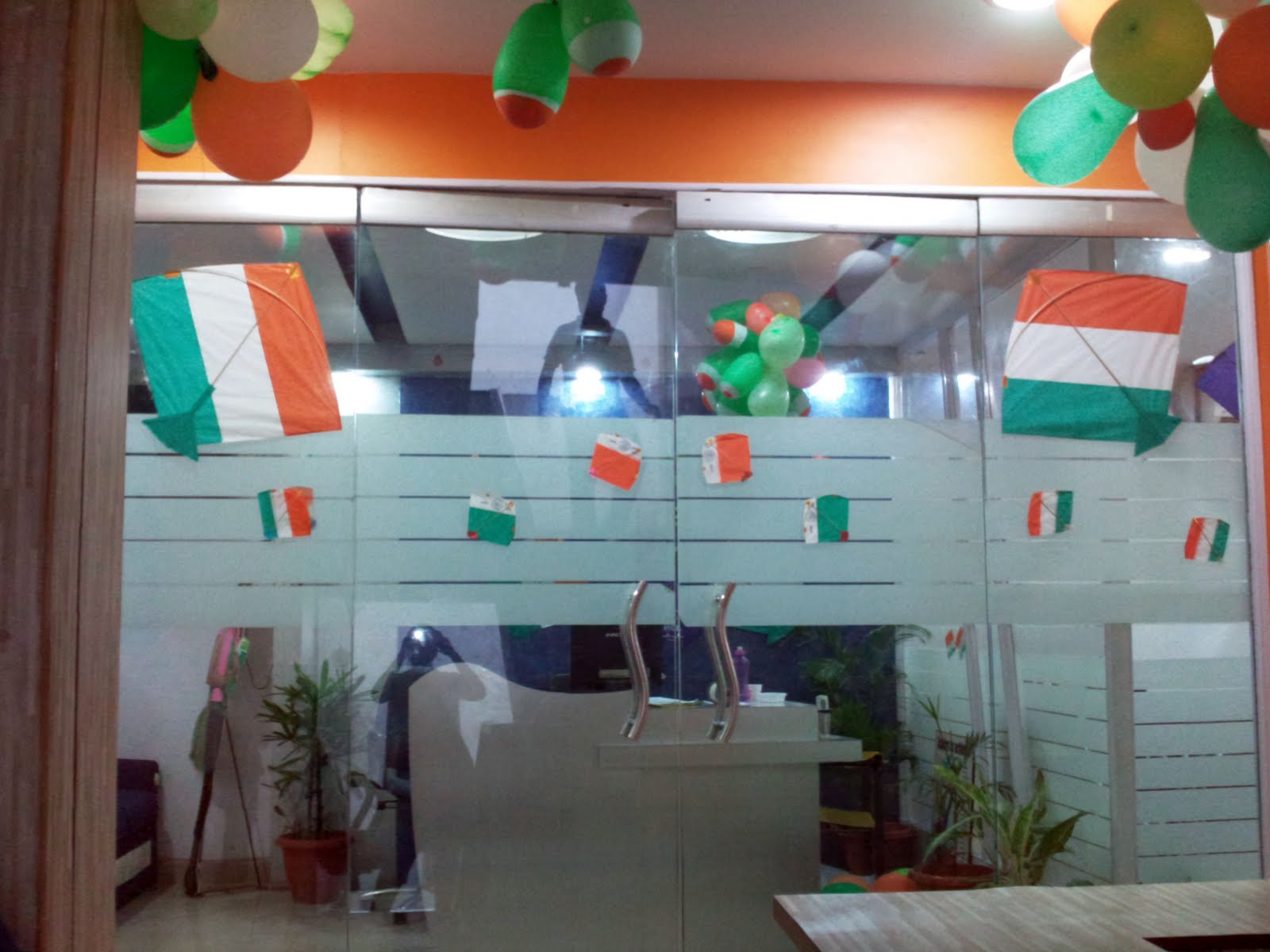
HCLCDC Janakpuri Celebrates 15th August


As the training arm of HCL Infosystems, HCL Career Development Centre (CDC), Janakpuri carries forth a legacy of excellence in Hardware & Networking, Software Training as well as celebrate Independence Day with great passion.

Tuesday, September 14, 2010

PD classes only at HCL CDC Janakpuri

PERSONALITY DEVELOPMENT 
Classes only at HCL CDC Janakpuri
Research has shown that for the most part, employees are very good at what they do. That's why they are hired, trained, retrained, and promoted. They are all "subject matter" experts.

Their problems occur when they attempt to communicate their subject to others. They have had extensive training and experience in performing their jobs, but very little training in effectively presenting their ideas to others.

That’s why HCL CDC JANAKPURI is the one centre who provides extra facilities to their precious student like PERSONALITY DEVELOPMENT classes, Pre- interview training, and vocabulary enhancement. We also avail English assessment online test which include:

ENGLISH & COMPREHENSION
LOGICAL ABILITY
QUANTITATIVE ABILITY


All these helps our candidates to perform well & we make their mind set for IT INDUSTRY.

The challenges in having Effective English Communication Skills are:

* Ability to frame Grammatically correct sentences
* Lack of Vocabulary
* Fear of Speaking to Groups of People
* Ineffective Presentation Skills

We are providing training effectively present their ideas in a clear, concise, convincing manner. Even if a student is already excellent presenters who only wish to pick up a few tips and techniques - our presentation skills training workshops can help! The benefits to you will be more effective presentations, more effective meetings and seminars (both one-to-one and one-to-group), elimination of confusion, increased productivity, increased morale, and tremendous savings of time and money.

We are professionals in the field of training and development with result-oriented programs full of real-life practice sessions, allowing participants to take the maximum benefit in minimum time.

Installation Windows XP SP3 through USB Flash Drive

Seminar on Windows XP SP3 Installation through USB Flash Drive


The USB flash drive is now ready to install XP to any hardware that is supported by the Windows XP CD. However there are some minor differences to installing Windows XP this way than if you would with an optical drive, which I am going to go into. Of course, the speed at which Windows XP installs is MUCH faster when installing using a USB stick than if you were using an optical drive (CD/DVD).

Providing it boots from the USB flash drive, you will now be shown two options. One with the words GUI and one with the words Text Mode. Choose the Text Mode option first. Now you will see what you normally would see during a CD install of XP. Just follow the on-screen instructions as always. 


Okay, now after that all goes through and the PC restarts, simply chose the GUI option on the menu and let the Windows XP install go along as it would normally do. I must advise that you DO NOT REMOVE the USB stick until you're actually past the setup stage. Once you have just booted into Windows XP for the first time, you can go ahead and remove the USB stick. Congratulations! You have just installed Windows XP without the need for a CD/DVD drive.

The benefits of installing from USB are plentiful and, providing you take the time to follow the instructions above, you need never worry about scratching your Windows XP CD again. I hope this will help you all to decrease the amount of time you spend having to install Windows XP when you have to.

One can also repair the existing operating system through this pen drive in case of
Any disaster happened to OS.